[Manual Video] Turning a Funding Notice into a 98-Second Training Video
Written documents such as public funding notices and work manuals can be turned into short explainer videos. As a demonstration, VisionPencil produced a 1 minute 38 second video from a single public notice: the revised 2026 Export Logistics Cost Support Program notice (No. 20260930-210) published on the Daegu Technopark website. The numbers, dates and required documents come straight from the source. The screens organize them into tables and step graphics, with narration, subtitles and chapter markers built in.
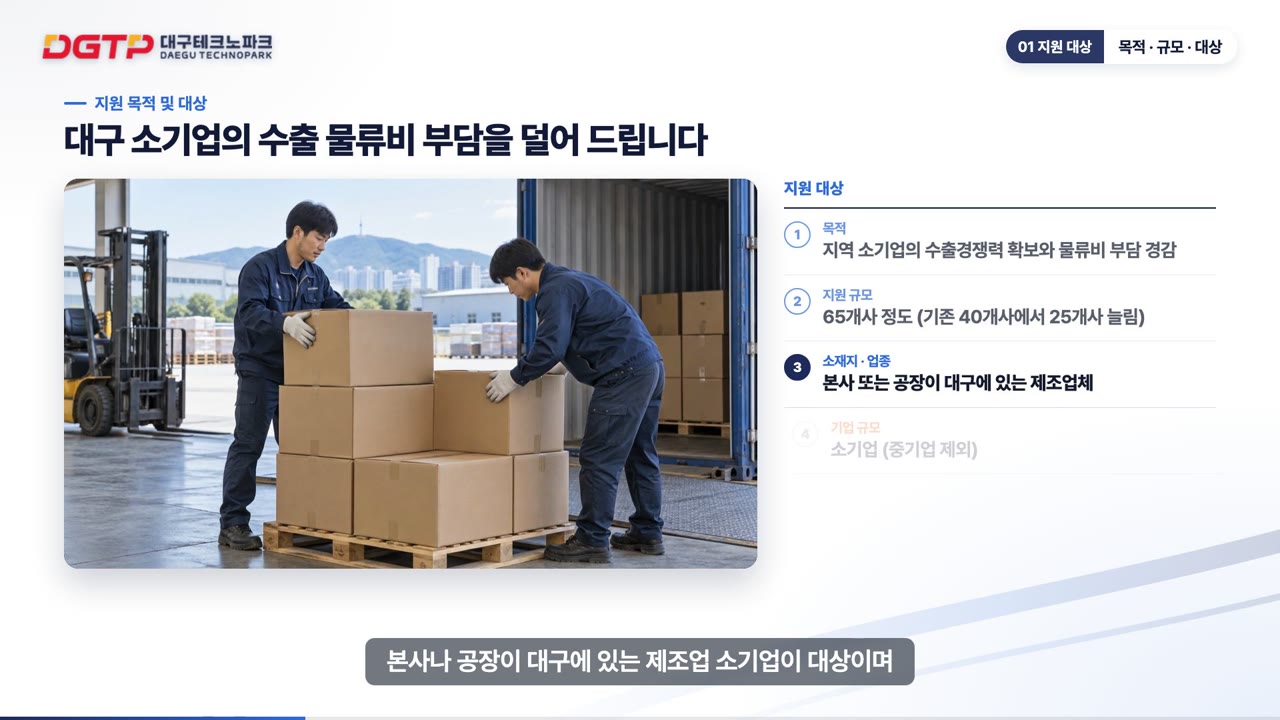
What does one notice turn into?
A funding notice spreads eligibility, support details, conditions, schedule, how to apply and required documents across several pages. First-time readers struggle just to tell whether it applies to them. The example video splits the content into seven parts:
- Learning goals: three things this video answers
- Who is eligible
- What is covered
- Conditions: freight terms, export period, exclusions
- Schedule and how to apply
- Required documents
- Summary
Each part answers one question, in the order a reader actually asks them: Are we eligible? How much can we get? What do we submit, and by when?
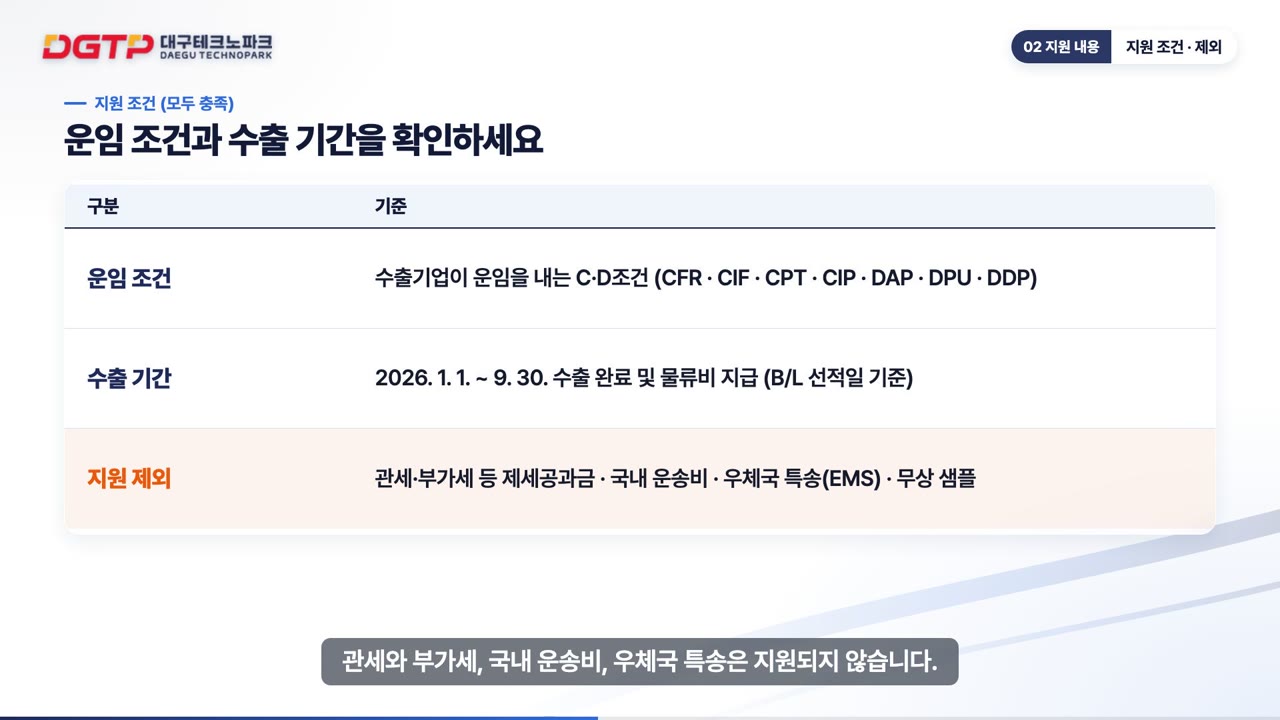
How does our manual video production system work?
We have turned document-to-video into one repeatable workflow:
- Take it from the source: numbers, dates and document names are copied from the original HWP or PDF. If a number changes in the video, the video is useless.
- Pick the right scene type: tables, step graphics, number cards or key-point banners, chosen by content, so screens do not all look the same.
- On-site scenes: where no photos exist, we create AI images, and add motion to some with AI video clips.
- Narration and subtitles: AI narration, with subtitles split sentence by sentence and timed to the screen.
- Chapters: chapter markers so viewers can jump straight to the part they need.
Because the template is fixed, a new notice or a revised manual can be added quickly in the same design. Once a template is set up with your brand colors and logo, later videos only need new content.
Where do people watch the videos?
We can deliver video files, or run them on your own company training site (LMS). The example is live in our public demo classroom with chapter navigation, subtitles, a summary and a quiz. Viewers jump to the part they need, review the summary and check their understanding with the quiz.
For the people running the program, it means fewer repeated questions. The explanation you used to give at every briefing or onboarding session is handled by one video.
Which documents work best as videos?
- Funding and recruitment notices, application guides
- Software and system manuals (screen recordings help)
- Internal work procedures and onboarding material
- Safety rules and equipment instructions
What they share: anyone could learn it by reading, but few people read to the end. Document manuals, books, images and screen recordings all work as source material. For teams with international staff, the same video can be produced with narration and subtitles in other languages. Our process is outlined on the training video and LMS page, and the example is in our portfolio.
FAQ
How long is a video made from one notice?
It depends on the length of the document and what needs to be covered. This example condenses one notice into 1 minute 38 seconds. When there is a lot of content, several short videos by topic work better than one long one.
Was this example commissioned by Daegu Technopark?
No. VisionPencil produced it in-house, using only the notice published on the Daegu Technopark website. We made it to show what the result looks like using a public document.
Can you do the same with our company manuals?
Yes. Send us document manuals, books, images or screen recordings and we follow the same workflow, styled with your brand colors and logo. The videos can also run on your own company training site (LMS).
Send us the documents you have, and we will start by working out how many videos they should become. We work with international clients in English. Contact us